Where next?

Scale It

Resize the target to estimate its length relative to the reference, then lock your guess to reveal the measurements. Use the slider, drag handle or keyboard controls.

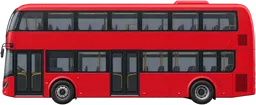
Double-decker busBlue whale
Example artwork - not to scale. This is not an upcoming answer.
Difficulty
Questions

Preparing your game...

How to play Scale It

  1. Compare the named, marked spans, not the image borders.
  2. Resize the target to estimate its size relative to the reference. Use the slider, drag handle or minus/plus buttons.
  3. Lock your guess to reveal the measured ratio. Lower error means a closer estimate.

Arrow keys adjust the slider; Home and End reach its bounds. Step buttons multiply or divide by 1.08. The view may fit both objects together; their relative scale stays true to your estimate.

Why these sizes?

The illustrations might be simplified, but their relative sizes aren't guesswork. Scale It uses measured lengths and distances to show how things really compare.

How we measure things →

Share a little perspective.
